Serve faster,manage easier
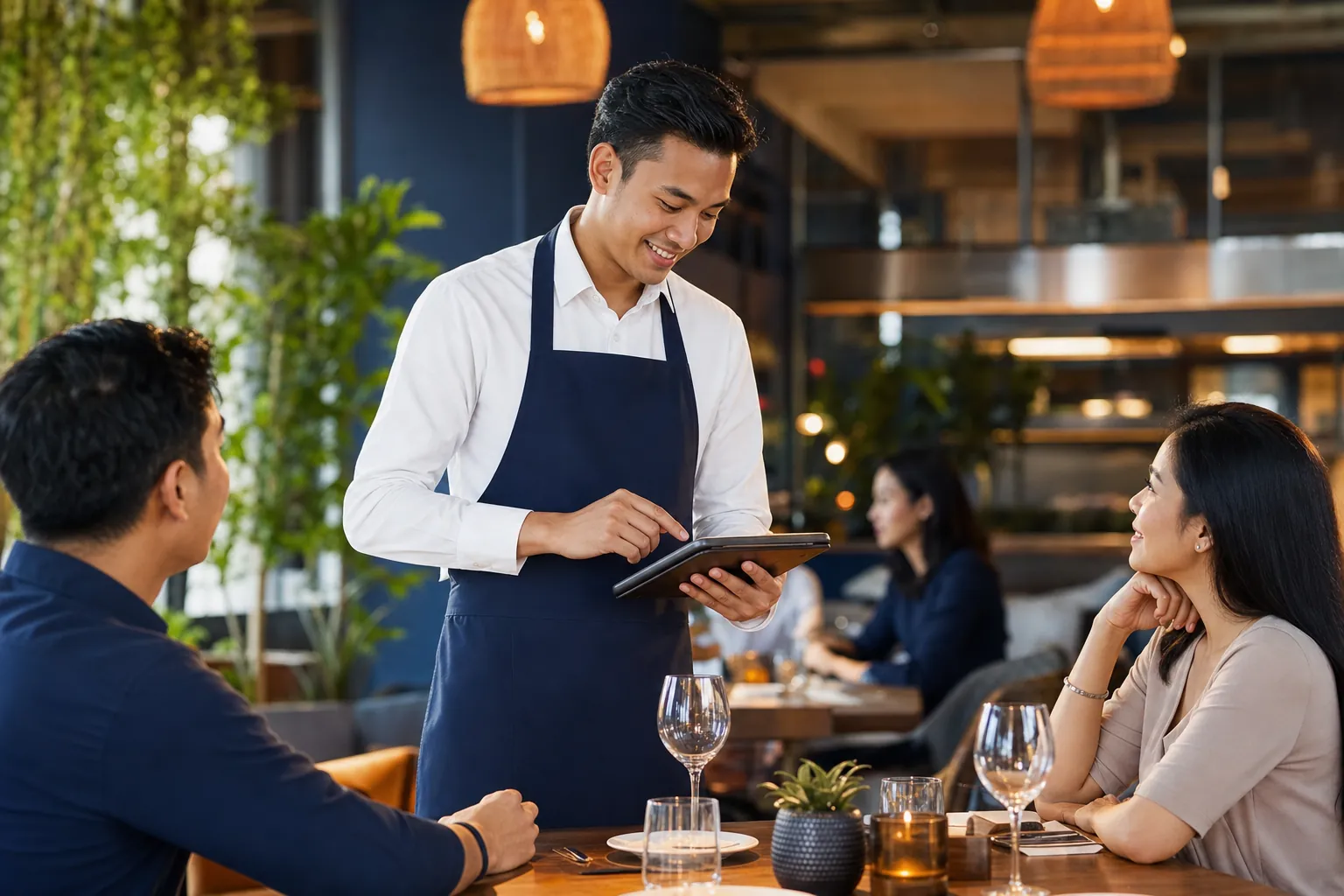
One system for all restaurant operations — from table order taking and kitchen display to real-time consolidation of multi-outlet sales reports.
Free 14-day trial. No credit card.
< 5 sec
Orders appear in the kitchen
Real-time
Multi-outlet consolidation
100%
Keeps running offline
24/7
Local team support
Challenges
What makes restaurant operations hard
Three classic obstacles that erode your margins and drain your team every day.
Queues pile up at peak hours
Customers wait a long time, tables turn slowly, and potential sales are lost during the rush.
Wrong orders reach the kitchen
Manual notes and shouting to the kitchen mix up orders, raise complaints, and waste ingredients.
Per-outlet sales hard to track
Reports are scattered per outlet, leaving owners without a full picture for fast decisions.
Core Capabilities
Everything your restaurant needs, connected into one
Not just a cashier — an operating system for your entire restaurant service.
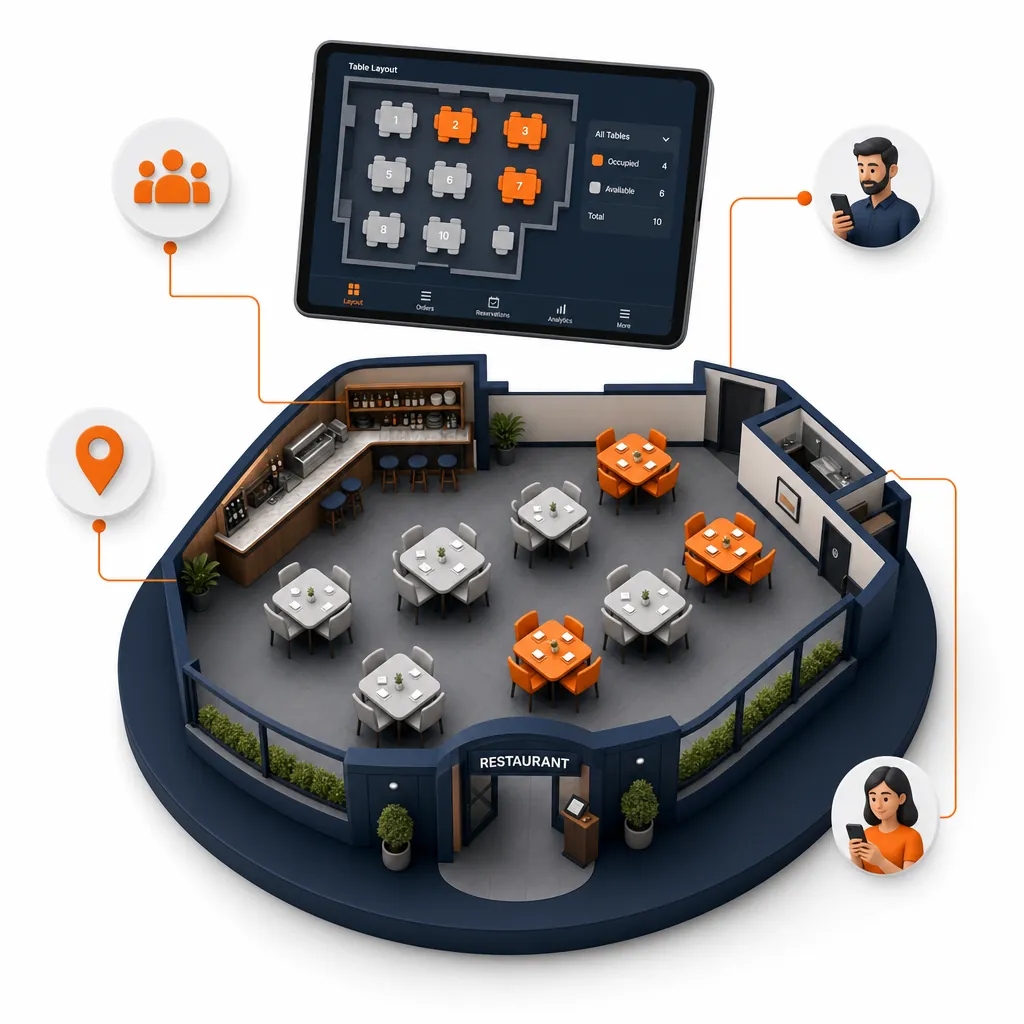
Turn tables faster with a live floor plan
Manage the whole dining room from one screen. See empty, occupied, and needs-cleaning tables in real time — merge, move, and split bills without drama.
- Per-area floor plan matching the outlet’s real layout
- Real-time table status: empty, occupied, needs cleaning
- Merge / move tables & split bills in one tap
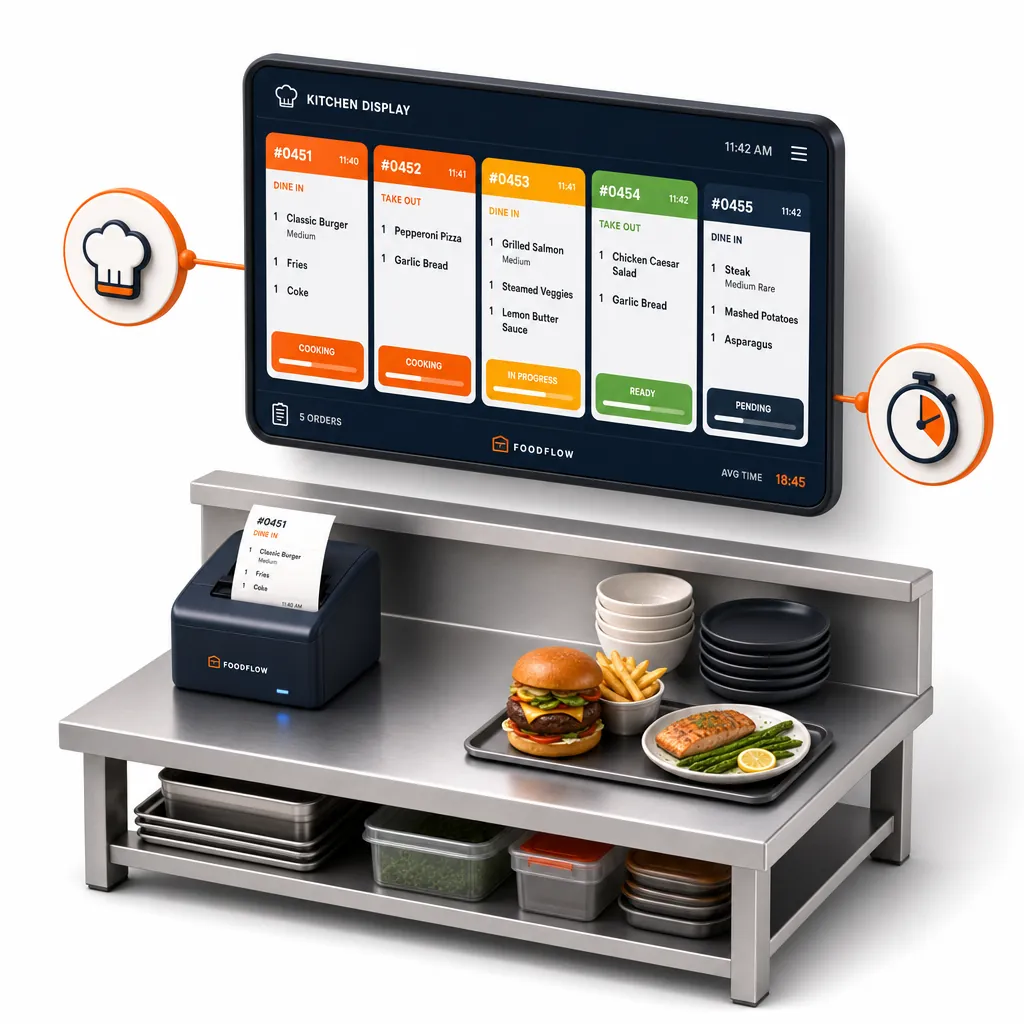
A kitchen with no wrong orders, no paper tickets
Every order appears instantly on the Kitchen Display with modifiers and priority. Customers also see their order status on the queue display (ODS).
- Automatic kitchen tickets per station (kitchen, bar)
- Real-time cooking status through to ready-to-serve
- A queue display (ODS) means customers don’t have to ask
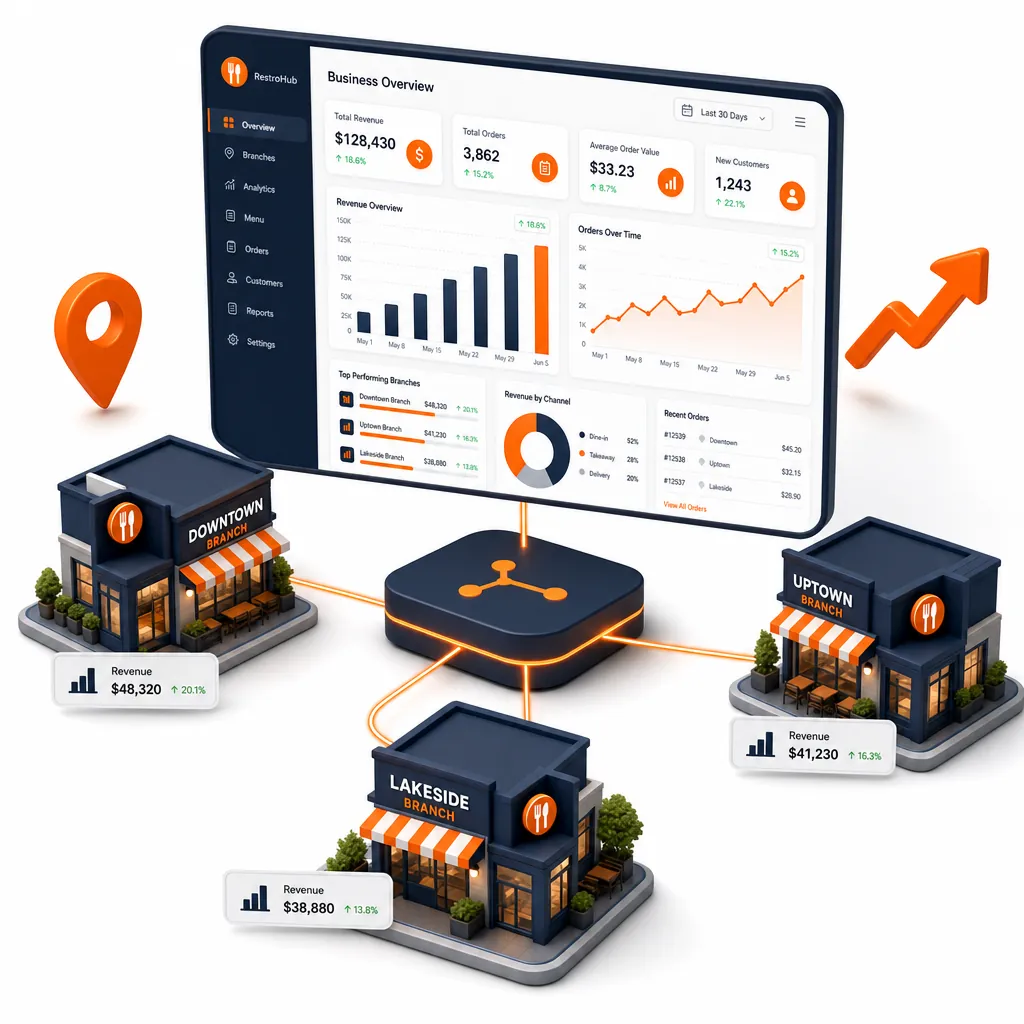
Monitor all outlets from one dashboard
Consolidate sales, best-sellers, and staff performance across all outlets in real time. Decide based on data, not guesswork.
- Cross-outlet sales & profit-and-loss reports
- Menu engineering: find your most profitable items
- Access from anywhere — web & mobile
One Smooth Flow
From table to kitchen to report — uninterrupted
Every step is connected and shares the same data in real time.
Order at the table
A waiter enters the order on a tablet/POS, or the customer scans a QR.
Into the kitchen
Tickets appear automatically on the Kitchen Display per station.
Status to customer
The queue display (ODS) shows real-time progress.
Pay & receipt
Cash, QRIS, card, e-wallet, split bill — all supported.
Automatic reports
Sales are consolidated straight into the owner’s dashboard.
One Ecosystem
Backed by tightly integrated products
Enable what your restaurant needs — they all share the same menu, orders, and data.
Enterprise Scale
Grow from one outlet to a restaurant chain
Built for F&B brands serious about growth — reliable, secure, and ready to accompany every stage of your business.
Multi-outlet ready
Add outlets without the headache — data, menu, and prices sync centrally with per-outlet overrides.
Role-based access
Cashiers, managers, and owners each get access by role. Audit trail for every sensitive transaction.
Offline-first
Internet down? Transactions keep running and sync automatically once back online.
Priority support
A local support team ready to help with onboarding, data migration, and your daily operations.
Common Questions
What restaurant owners often ask
Is it suitable for restaurants with many outlets?
Absolutely. TableOne is built multi-tenant & multi-outlet: menus and prices are managed centrally with per-outlet override, while reports for all outlets consolidate in real time in one dashboard.
What if the internet at the outlet is unstable?
The POS works offline-first. Cashiers can still record orders and accept payments without internet; data syncs automatically when the connection returns, with no lost transactions.
Which payment methods are supported?
Cash, QRIS, card/EDC, and e-wallets — including split bills and partial payments. Customers can also pay themselves via self-order QR.
How long does migration and onboarding take?
Most restaurants can start within days. Our team helps import menus, set up tables & outlets, and train staff for a smooth transition.
Still have questions? Contact our team or see all FAQs.
Ready to grow your business?
Join thousands of restaurants already using F&B POS. Start your free trial today.